Green, yellow, or red — so you always know what needs attention today.
Every habit tracker shows your habits.
Habit Traffic helps you do them.
Each color says how much room a habit has left this period. Do a red or a yellow one and it turns purple: done.
Most habit apps track.
This one also tells you where to focus.
Most habit apps show all your habits at once, and don't give you any help deciding what should be prioritized today, based on YOUR preferred goals. Habit Traffic tells you exactly what needs your attention TODAY.
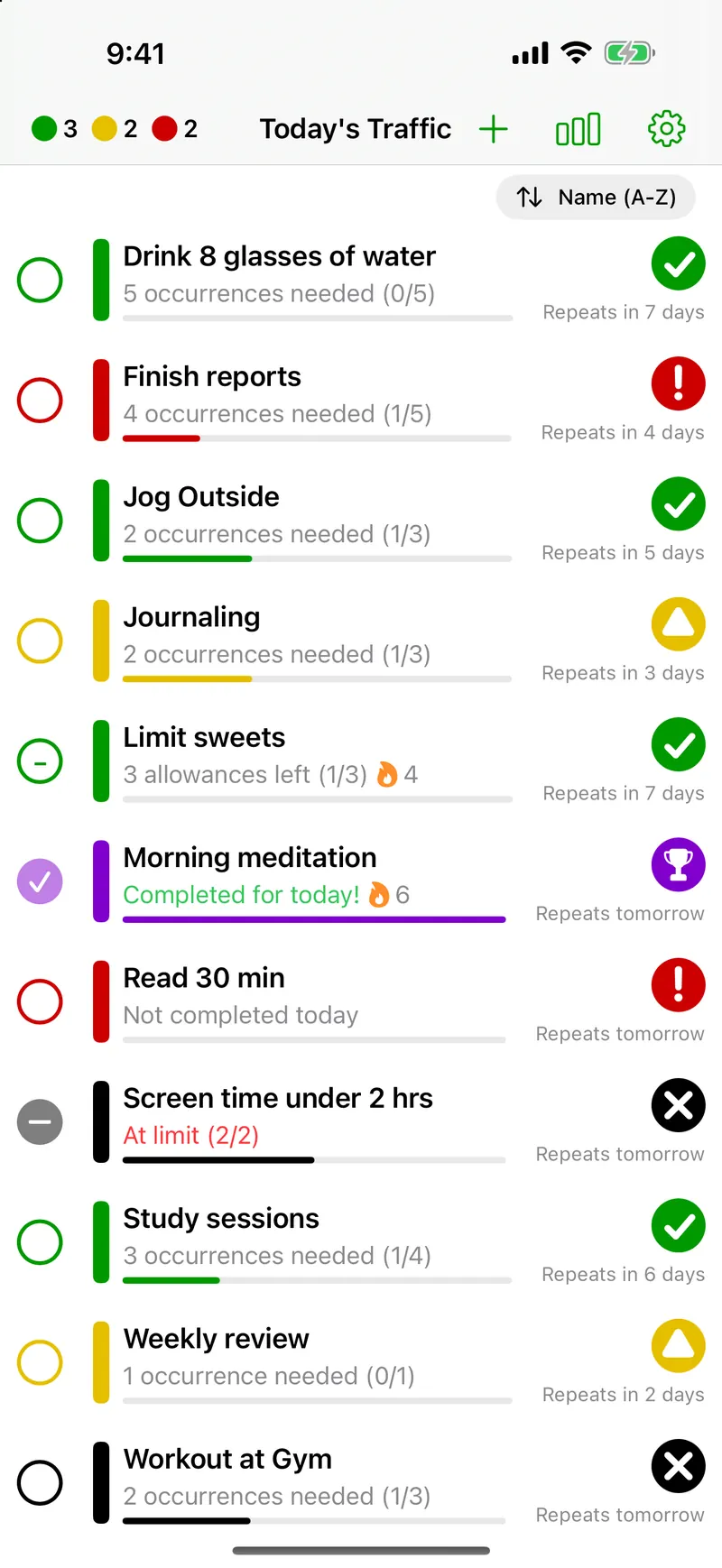
Data at Your Fingertips: Tap the traffic light in the corner to open a status view.
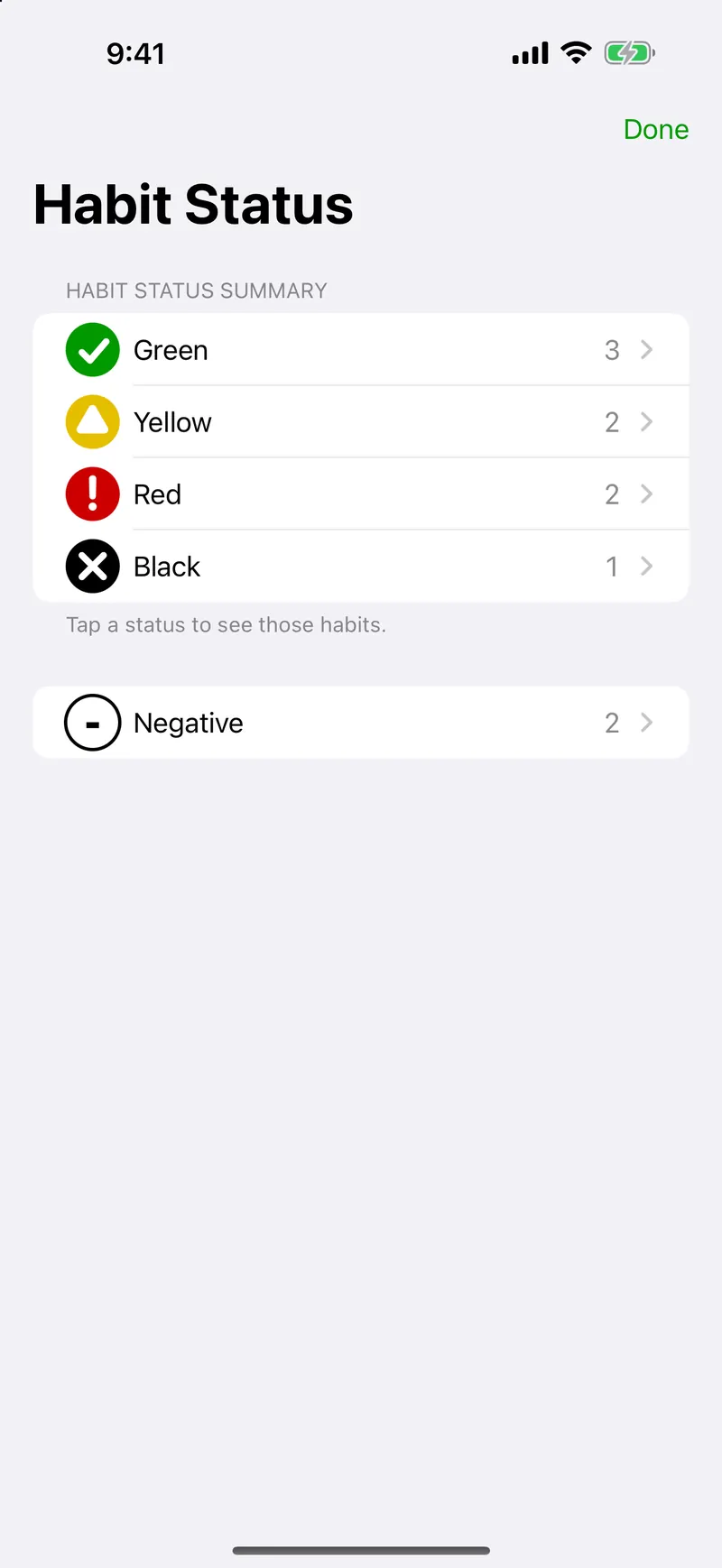
See every color in one place.
Your entire status at a glance.
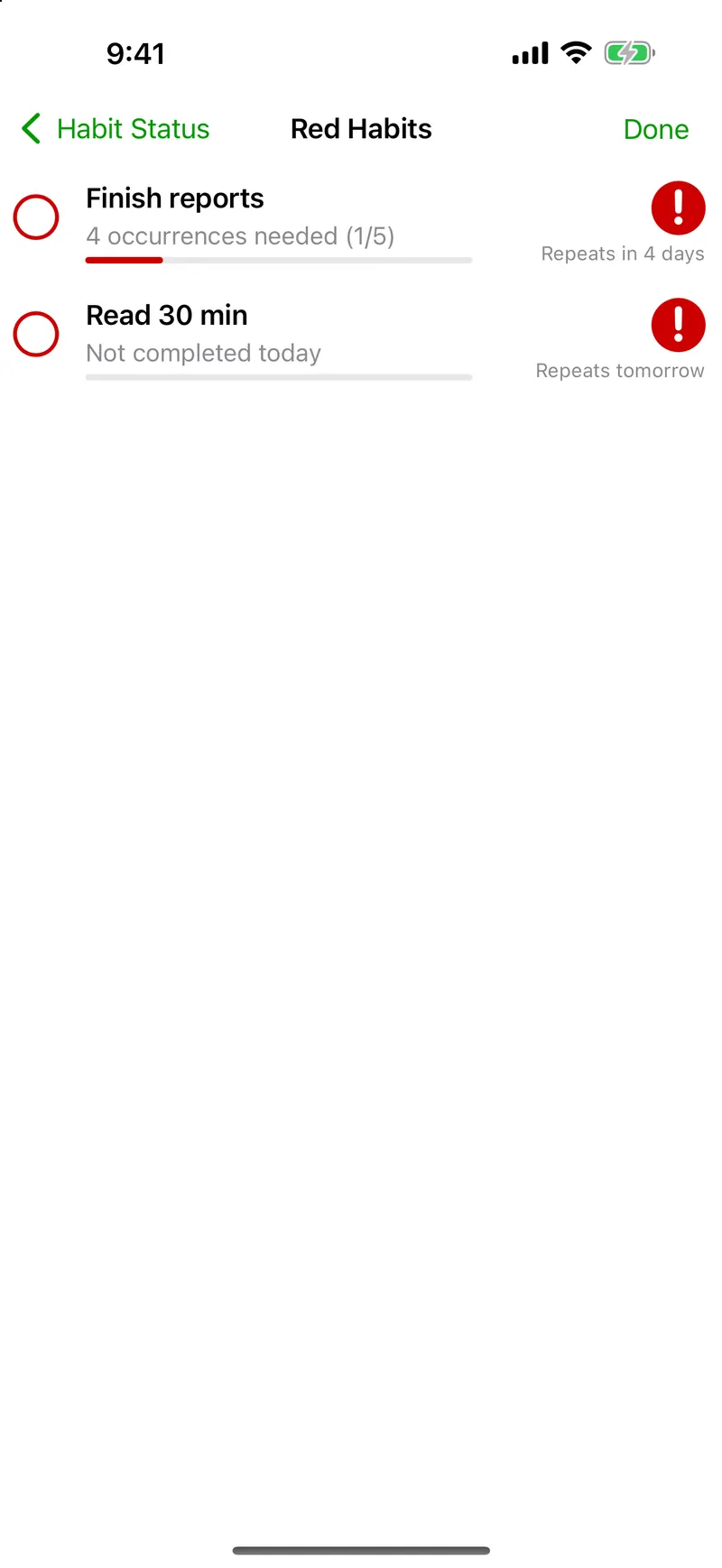
Then tap Red to focus.
These need you today.
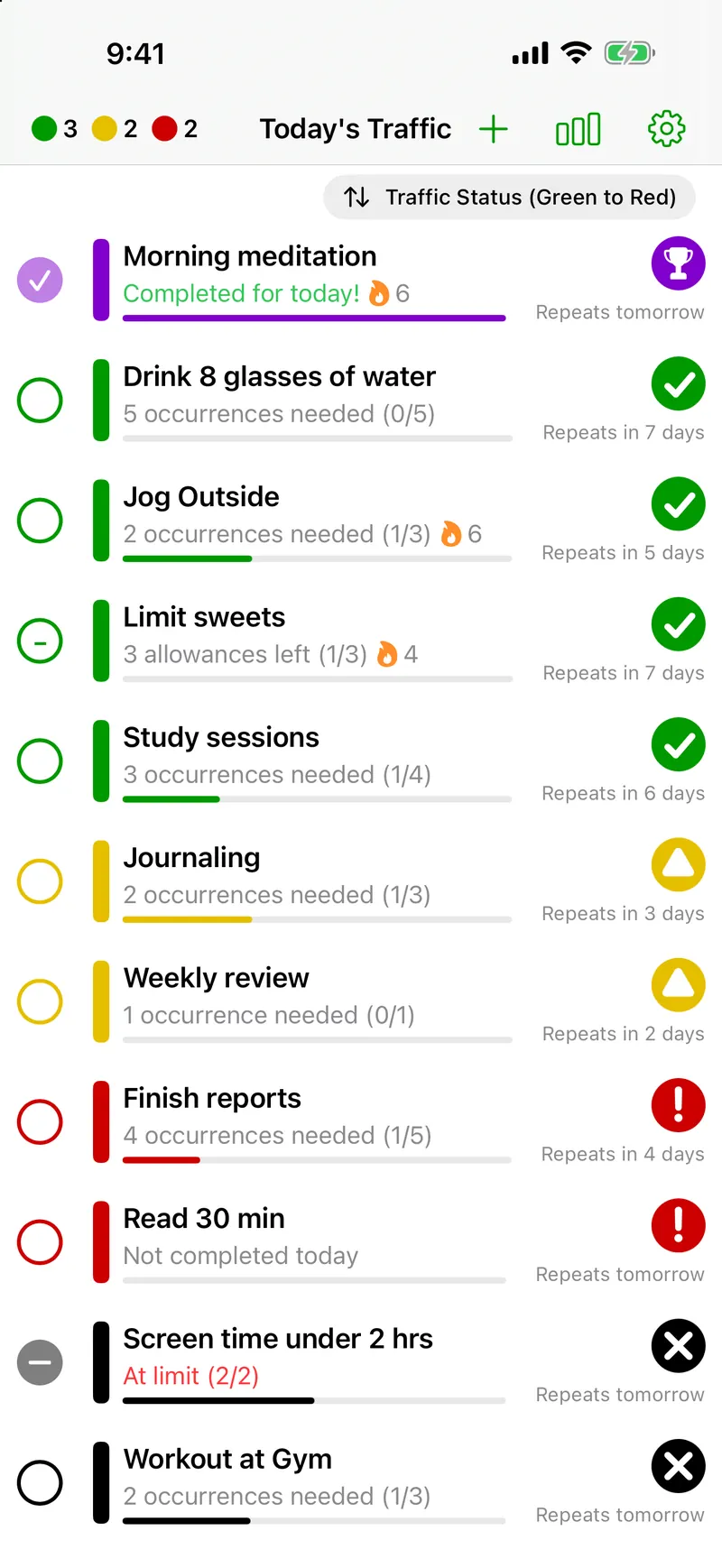
Red means act now. Yellow means plan ahead. Green means you're on track. Whether you track 5 habits or 50, you always know where to focus.
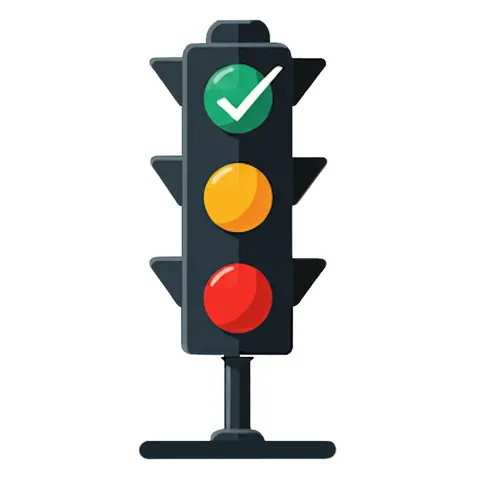
Know where every habit stands, at a glance.
Habit completed or not due for a while. No action needed. Just keep the momentum going.
Habit coming due soon. You still have time, but now is the moment to plan when you'll fit it in.
Must be done today. If you miss it, this habit won't be fulfilled for the current period.
Your habit's time window closed before you hit your goal. A reset, not a failure — the rhythm still matters.
You've hit your target for this period. No action needed — just enjoy the win and keep the streak alive.
Everything you need to build habits that actually stick.
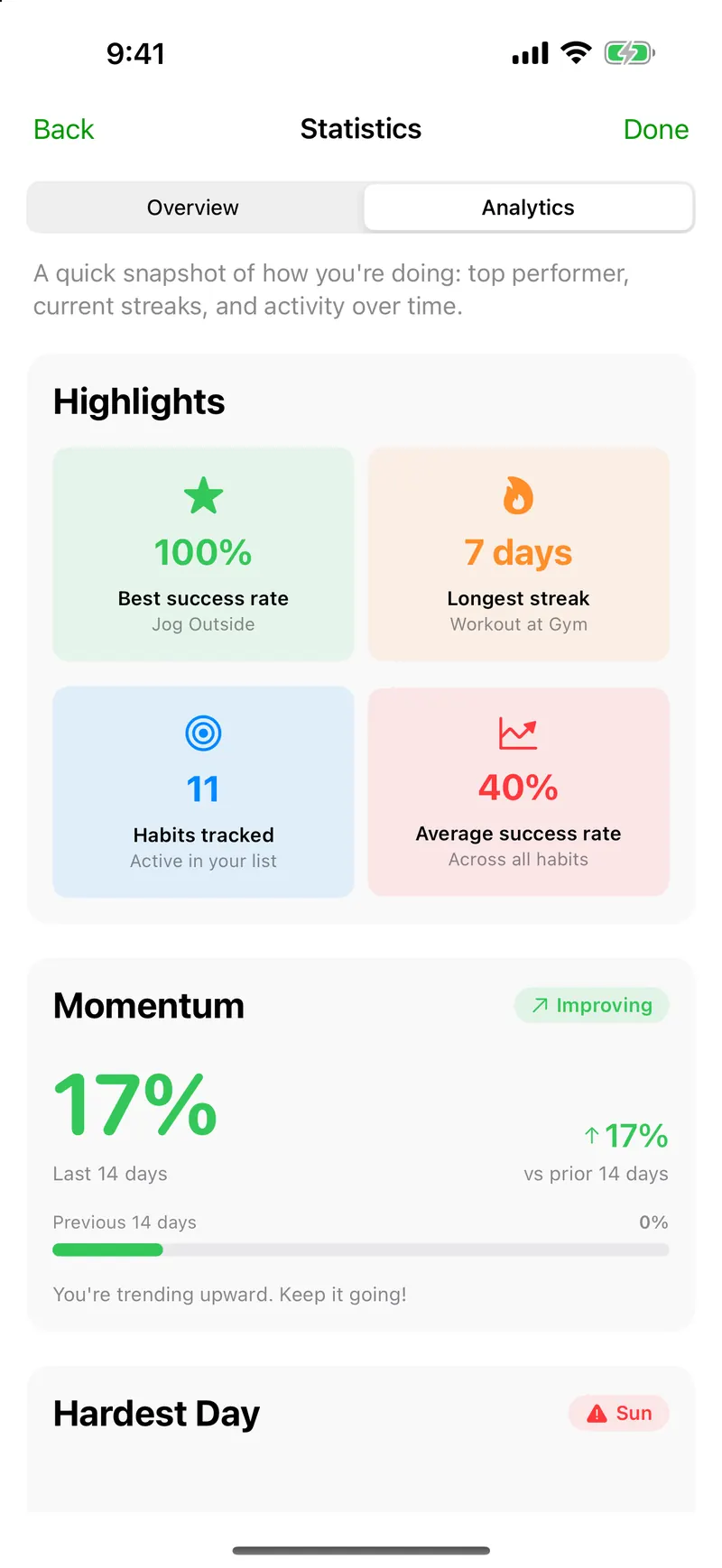
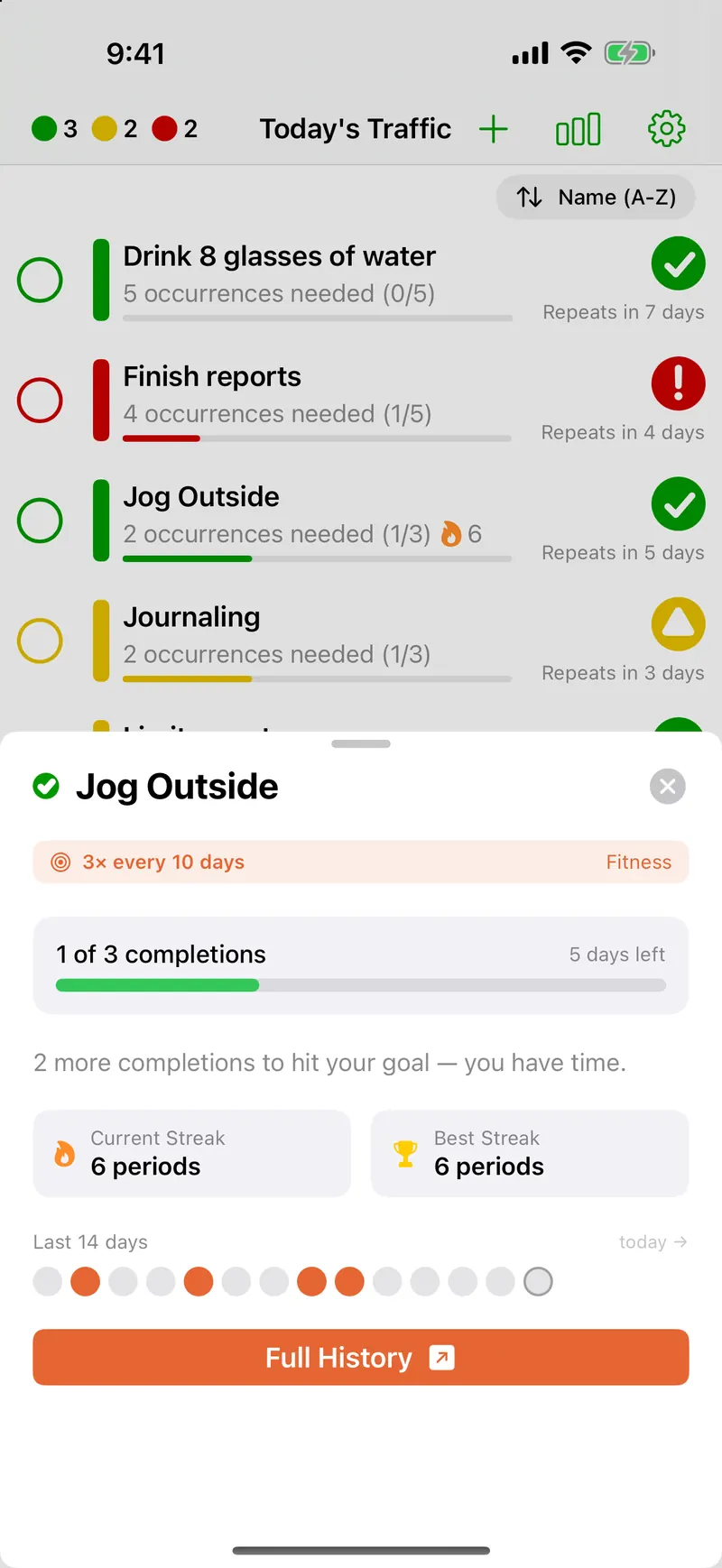
All the tools. None of the noise.
Assign your own sounds to habit completions — record, import, and trim custom audio so you hear your own voice or a favorite clip when you check off. Built-in packs included; your library lives in Settings.
Restore your habits from a recent backup, or archive a habit you've finished with and keep all its history.
Works with VoiceOver, Larger Text, Reduce Motion and Dark Mode, and every status has its own shape as well as its color.
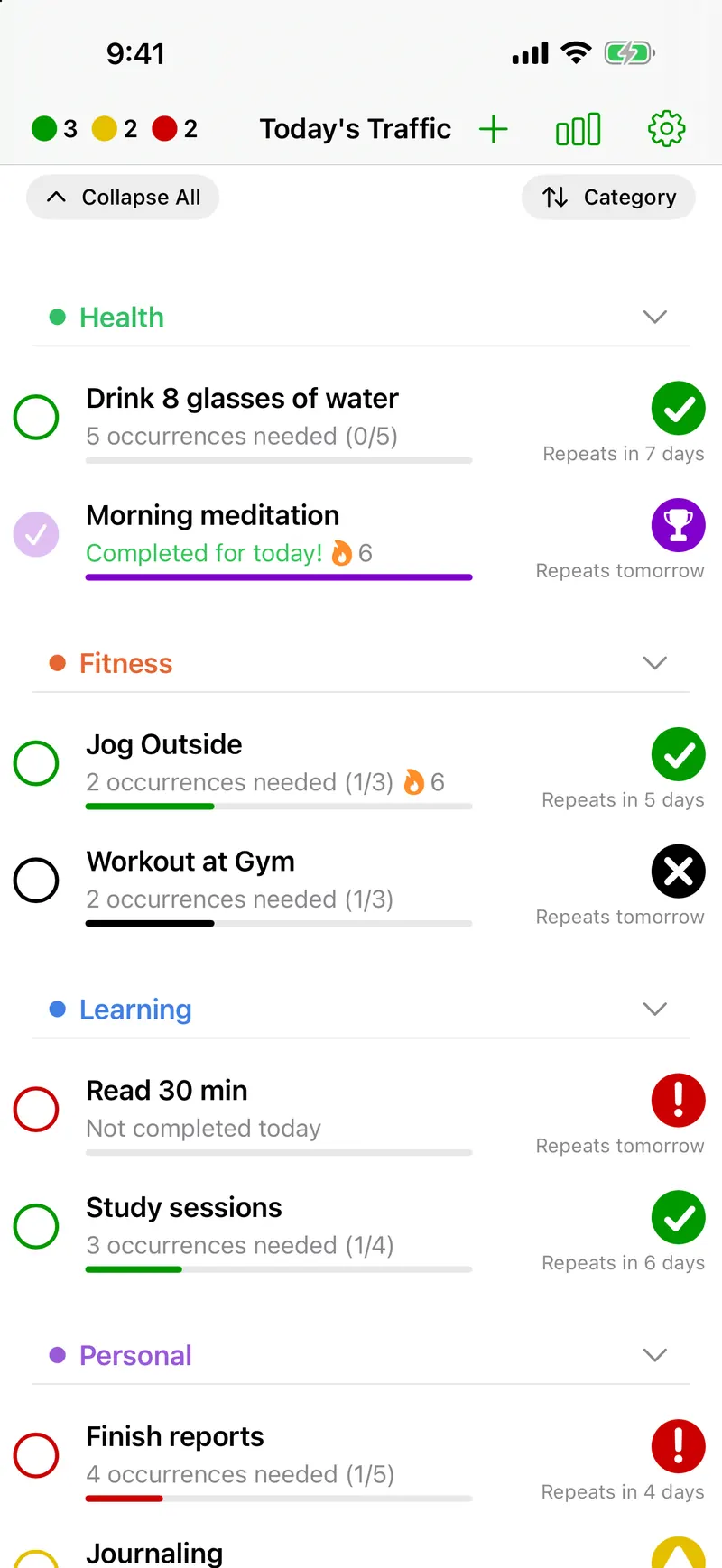
Group habits into Health, Fitness, Learning, or any custom category. Collapse what's done and focus on what's left.
Hide what you've done today, what's already met its goal, or what can't be saved this period. The list shrinks to what still needs you.
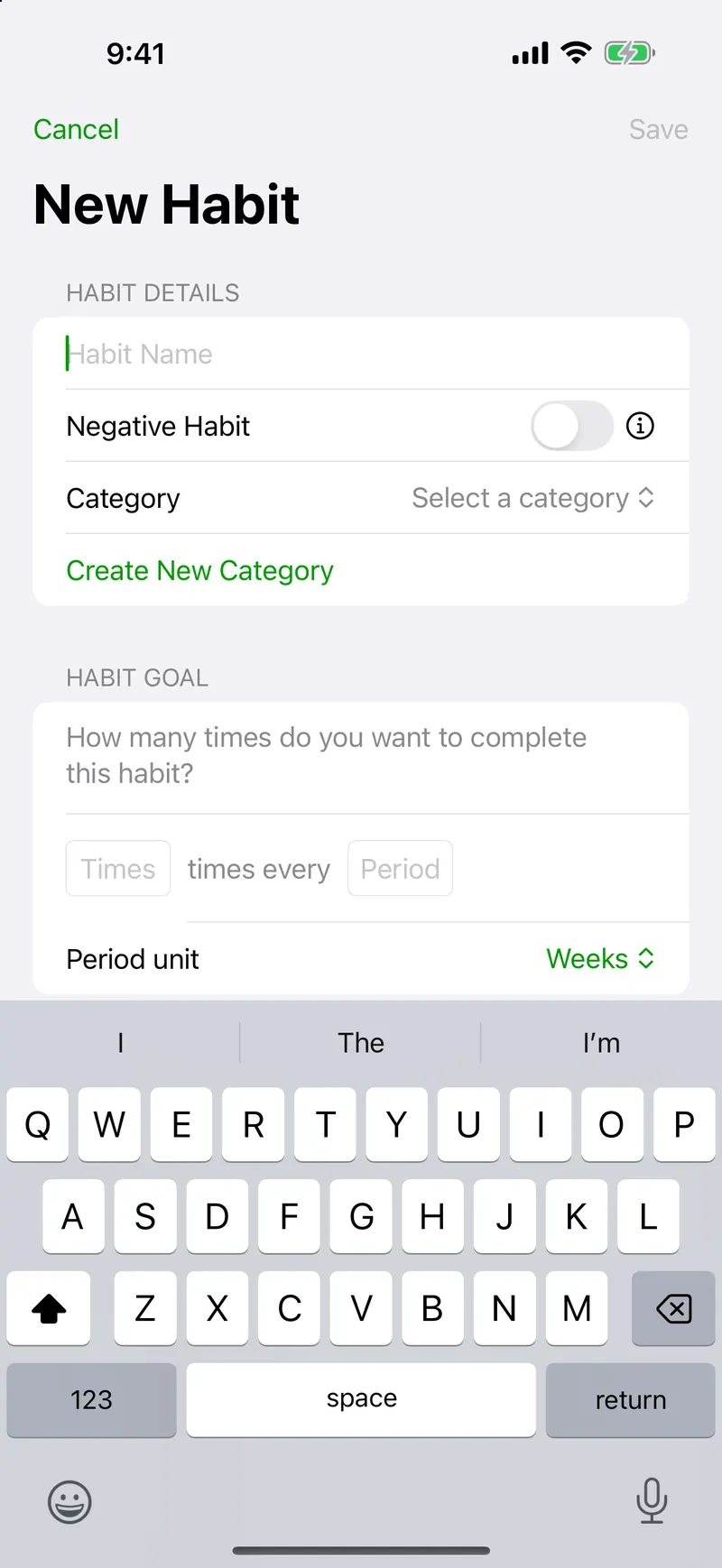
Track things you're trying to avoid. Logging them counts against your streak. Real motivation to resist.
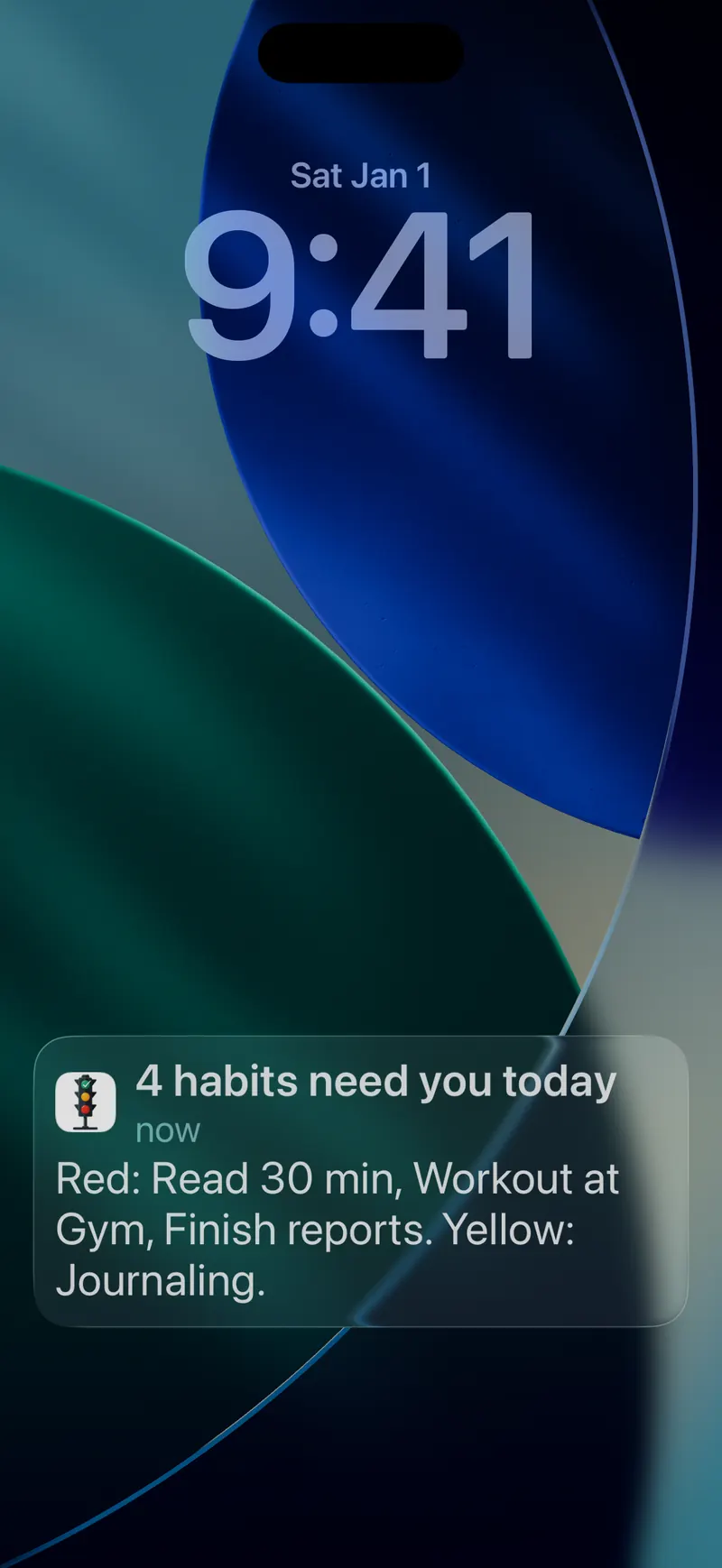
Reminders only on days a habit needs you, and they stop the moment you do it. Pick a daily summary of what’s red and yellow, one reminder per habit, or smart reminders that come closer together as the day runs out.
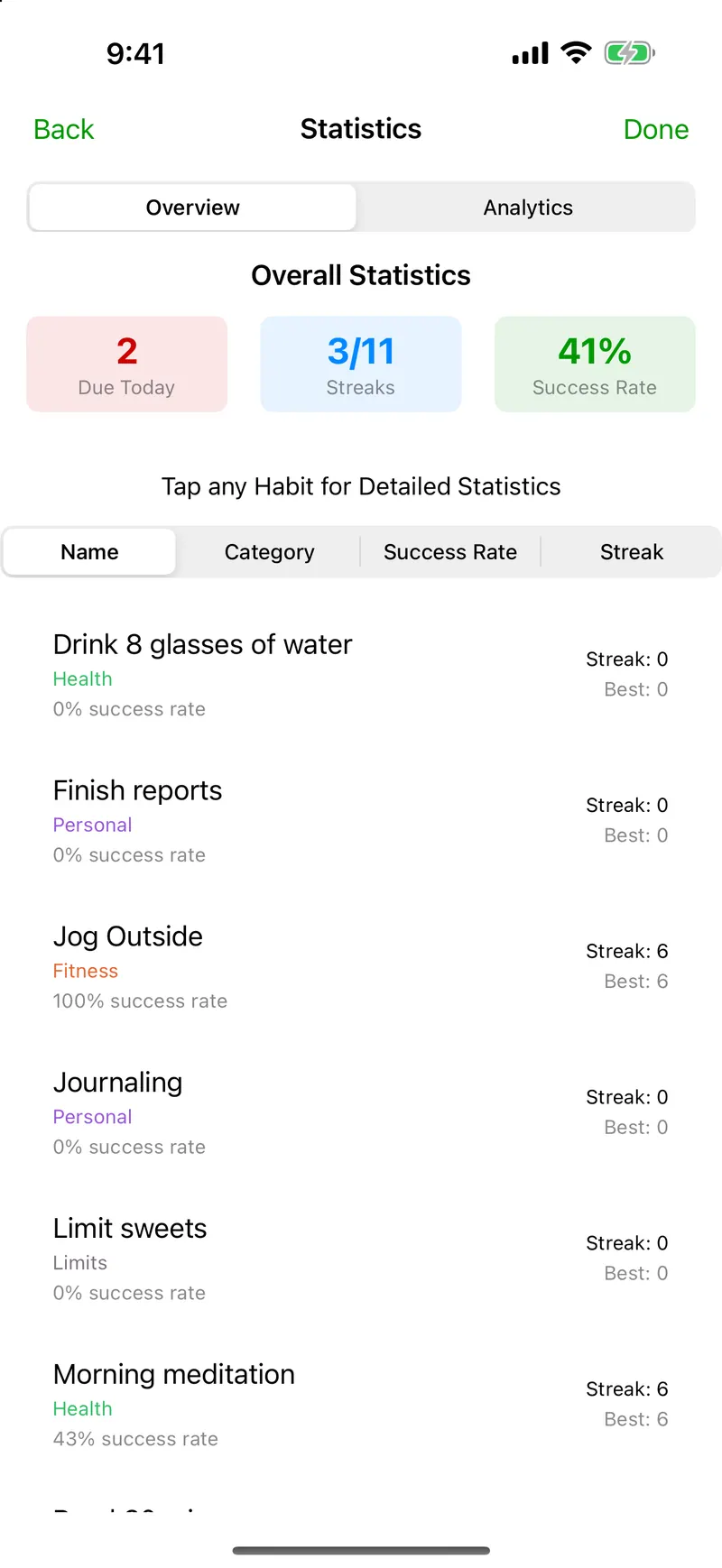
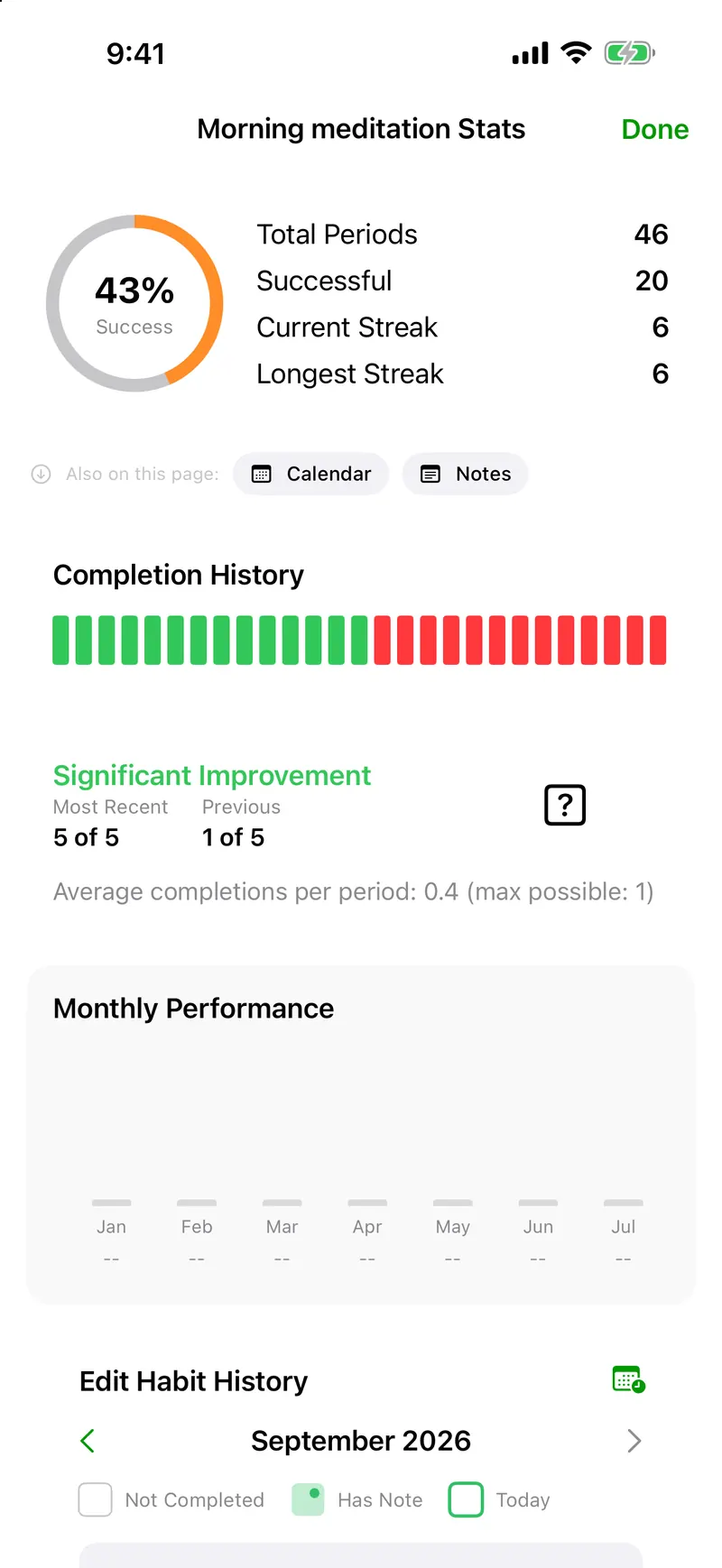
Group them, order them by signal, or open one habit and read its whole record.
Use the Complete Habit action to check off a habit from an automation, or ask Siri to run your shortcut.
Your habits, history, and settings stay current across all your Apple devices. Pick up right where you left off.
See your traffic-light status and log completions right from your wrist, synced with your iPhone.
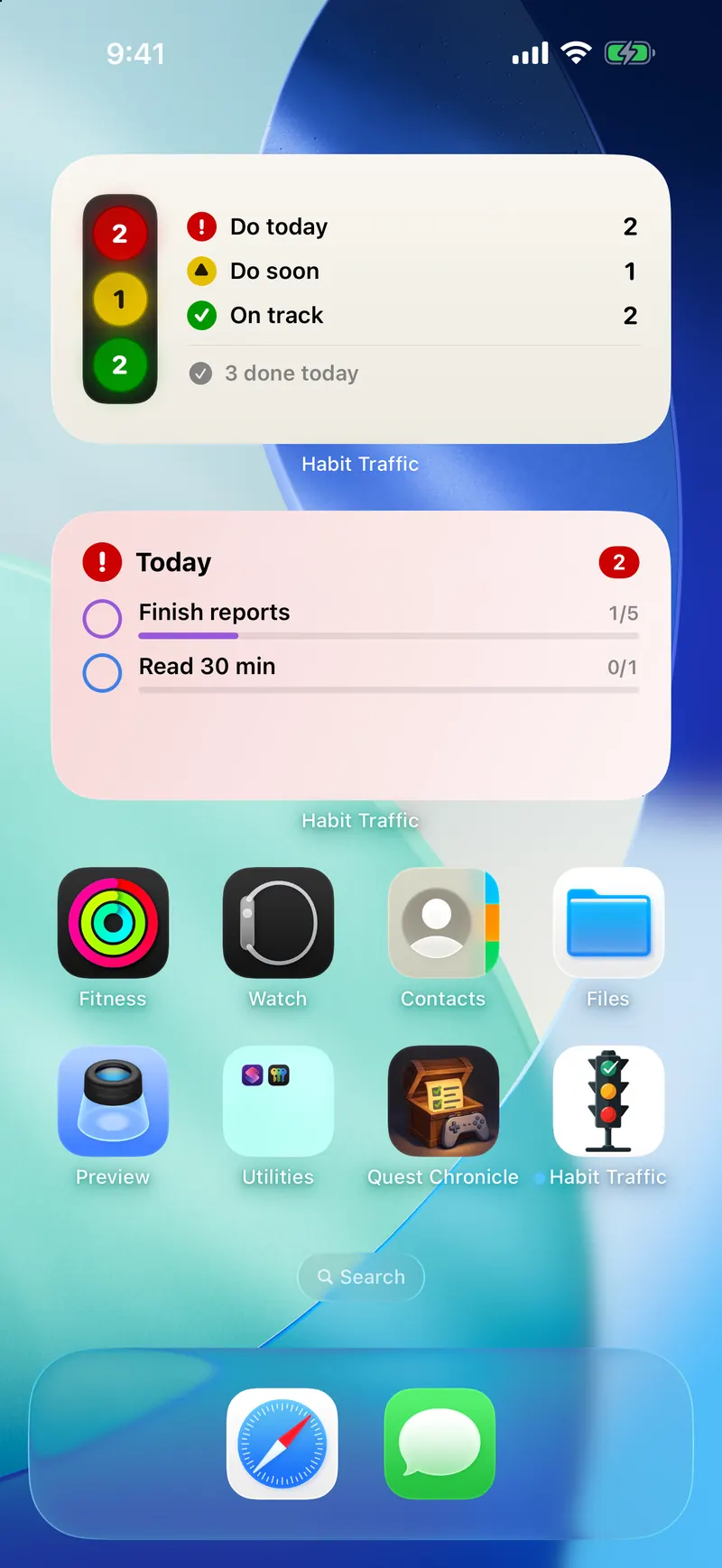
Put your red, yellow, or green habits on your Home Screen, and tap one to mark it done without opening the app. iOS 18.2 or later.
One purchase, every screen. Your habits stay in step through iCloud.
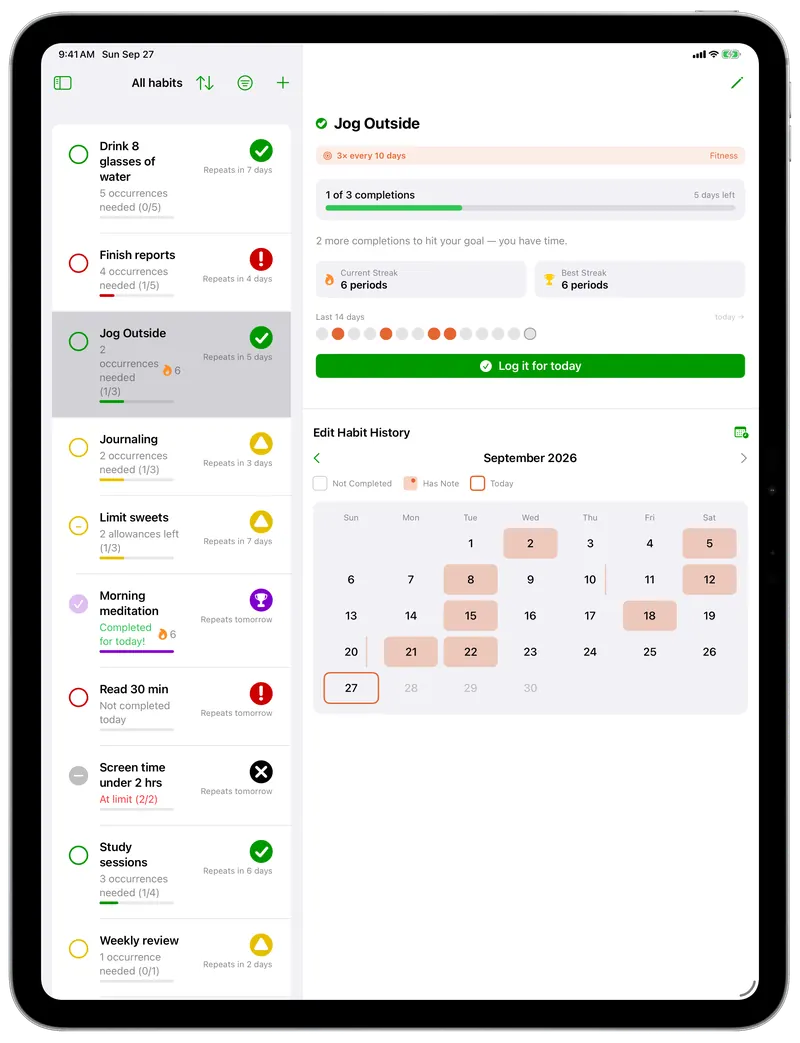
The list and one habit's whole history, side by side.
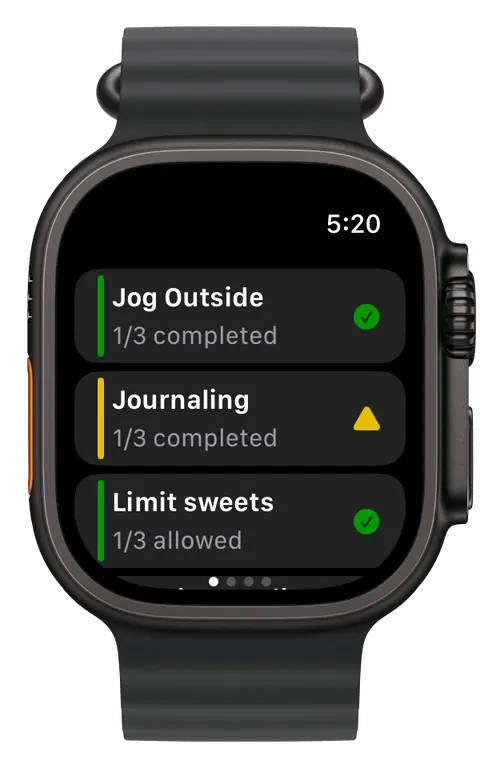
Check where your habits stand, and tap one to log it.