Support
Something not working, or not behaving the way you expected? Here is the quickest way to get an answer.
Email me directly. It is one person building this, and I read everything.
habittrafficapp@gmail.com Join the DiscordWhat Habit Traffic does
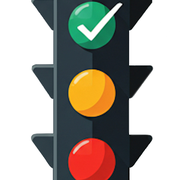
Every habit gets a traffic light. The colour tells you how much room you have left before you fall behind, so you can look at a list and know what actually needs doing today without counting anything.
What the colours mean
- Green — you have slack. You could skip today and tomorrow and still hit the goal.
- Yellow — tomorrow is the last comfortable day.
- Red — it has to happen today to stay on target.
- Black — the goal can no longer be met in this period. It resets when the period does.
- Complete — you have already met the goal for this period.
Common questions
A brand new habit shows black. Why?
It shouldn't, and if it does you are on an old build. A bug that gave month-long habits a one-day first period was fixed in August 2026. Update to the latest version and the habit will read green.
My habits are not on my other device
Both devices need to be signed in to the same iCloud account with iCloud Drive on. Sync is Apple's CloudKit, so it can take a moment after a change, and it needs a network connection at some point on both ends.
Does it work on Apple Watch?
Yes. The watch app shows each habit's status and lets you log a completion from your wrist. It syncs with the phone.
Can I use my own sounds?
Yes. You can record a sound in the app, trim it, and assign it to a habit, or choose from the built-in library. Recordings stay on your device and in your own iCloud.
What is a negative habit?
A habit you are trying to do less of. Instead of a target you set a limit, and the app tracks how many allowances you have left in the period.
Can I fix a day I forgot to log?
Yes. Open the habit's history and edit past days; streaks and statistics recalculate from the corrected history.
How do I back up, or start over?
Settings keeps recent backups you can view and restore from. The same screen has Delete all data to clear everything from the device and your iCloud database, and a demo data option if you want to see the app populated before committing to your own habits.
Notifications are not arriving
Check that notifications are allowed for Habit Traffic in the iOS Settings app, then check the notification settings inside Habit Traffic. Individual habits can also carry their own reminder times.
Reporting a bug
The most useful report says what you expected, what happened instead, and which device and iOS version you are on. Email or Discord both work; Discord has a #bug-reports channel.
Privacy
Habit Traffic collects nothing about you and has no server. The details are on the privacy page.